AI Credits & BYOK
AI-powered features in Takonaut — chat, executive analysis, standup synthesis, auto-scheduling — consume credits. This page explains how credits work, how to manage them, and how to bring your own API key if you prefer.
AI credit wallet
Every user has an AI credit wallet. Your balance is made up of two types of credits:
- Monthly allocation — credits granted at the start of each billing cycle based on your organization’s plan. These reset monthly and do not roll over.
- Permanent credits — credits purchased separately or earned through gamification. These never expire.
When you use an AI feature, monthly credits are consumed first. Once those run out, permanent credits are used.
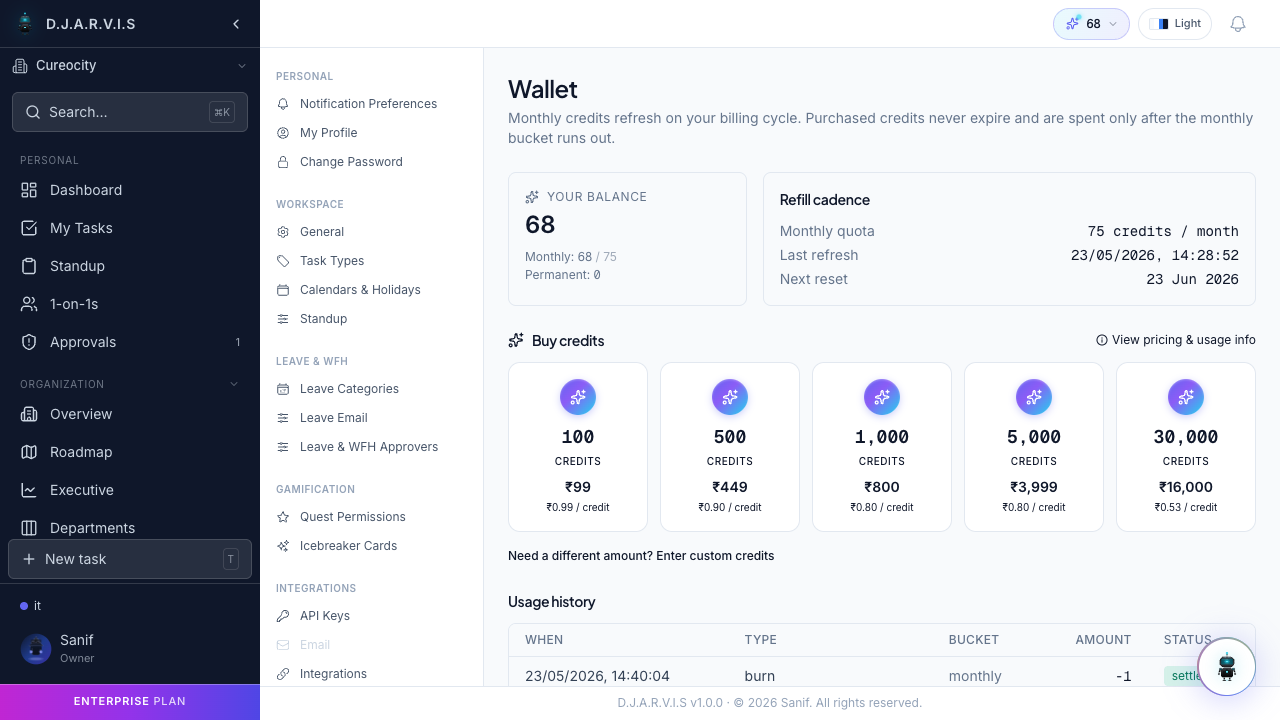
How credits are consumed
Different AI features have different credit costs:
| Feature | Credit cost |
|---|---|
| AI Chat | Credits per message, varies by response complexity |
| Executive Analysis | Credits per analysis generated |
| Standup Synthesis | Credits per team summary |
| Auto-Scheduling | Credits per sprint auto-scheduled |
The exact cost depends on the complexity of the request and the amount of data processed. Simple chat questions cost less than generating a full executive analysis.
Purchasing additional credits
If you run out of credits before your monthly allocation resets, you can purchase more:
- Go to Settings > AI > Wallet.
- Click Buy Credits.
- Select a credit pack and complete the purchase.
Purchased credits are added as permanent credits and never expire.
BYOK (Bring Your Own Key)
If you prefer to use your own API key instead of the built-in credit system, Takonaut supports Bring Your Own Key. With BYOK enabled, AI requests are billed directly to your API provider account and do not consume any credits.
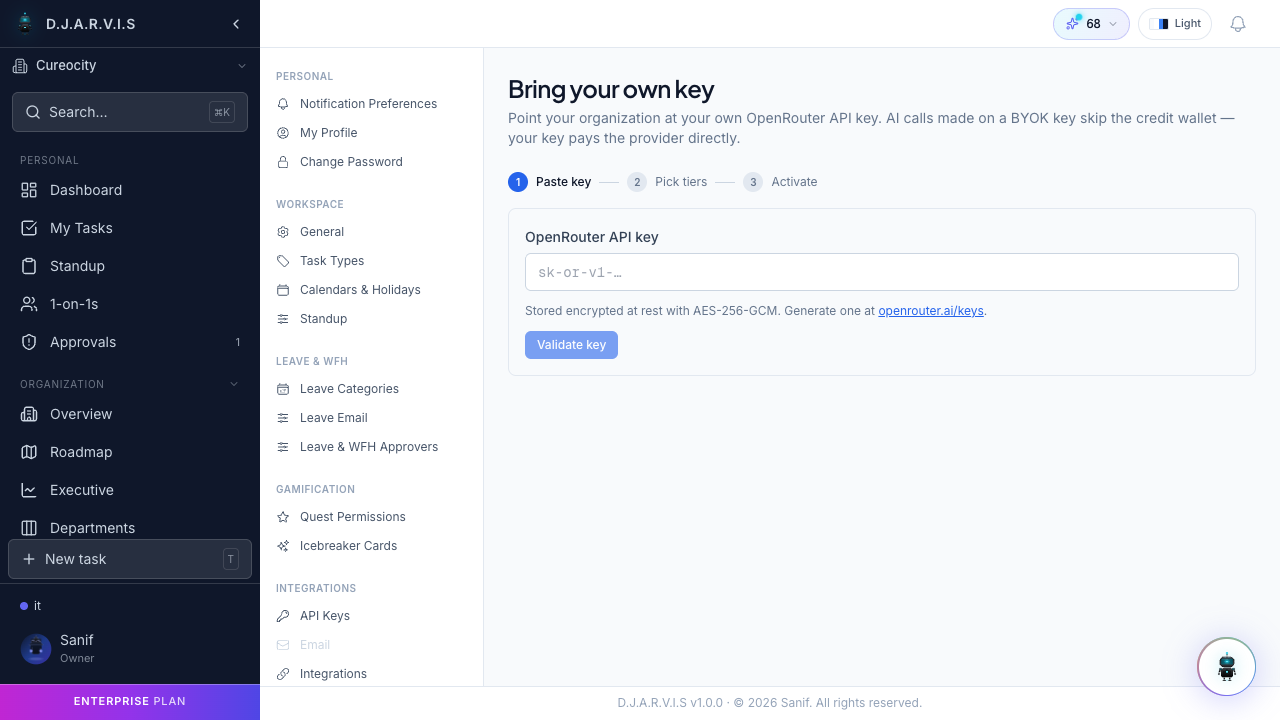
To configure BYOK:
- Go to Settings > AI > BYOK.
- Select your provider (OpenAI, Anthropic, etc.).
- Enter your API key.
- Save the configuration.
Once active, all AI features will route through your key. You can switch back to the credit system at any time by removing the key.
BYOK keys are stored securely and are never shared with other users in your organization. Each user manages their own key independently.
AI activity log
Every AI interaction is logged so you can track exactly where your credits go.
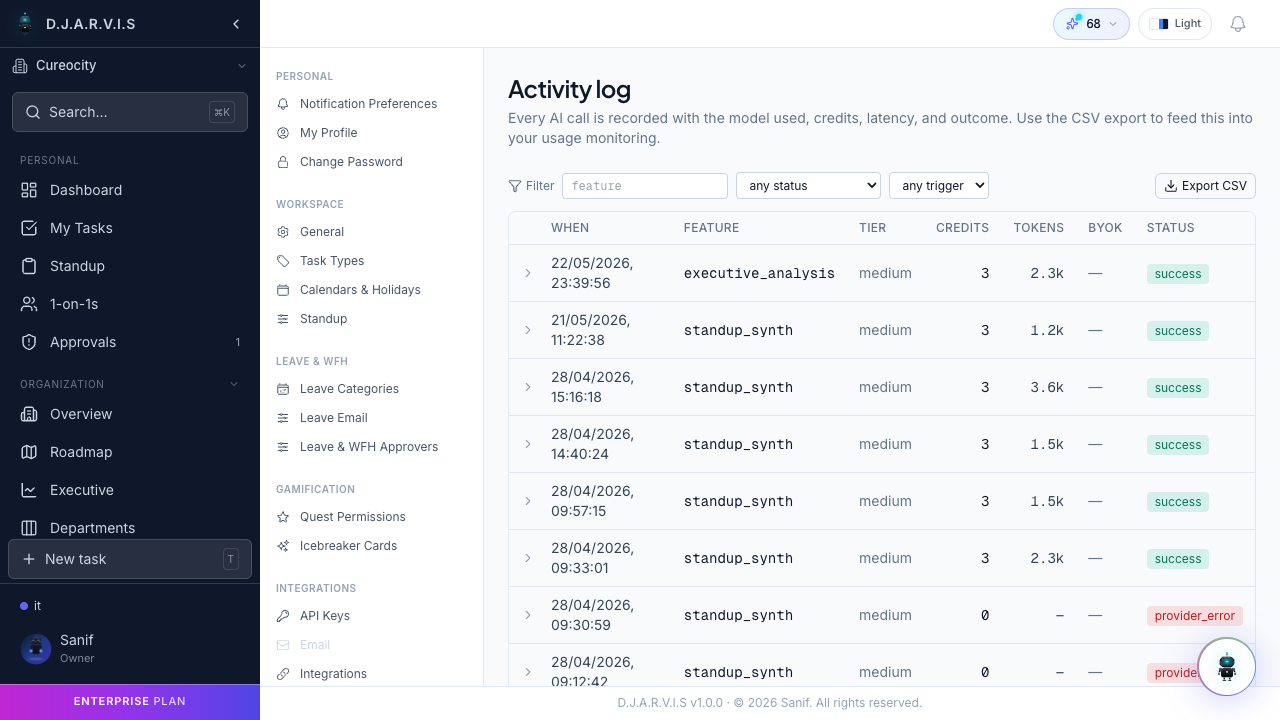
The activity log shows:
- Timestamp — when the AI feature was used.
- Feature — which AI capability was invoked (chat, executive analysis, etc.).
- Credits consumed — the cost of that specific interaction.
- Running balance — your credit balance after each transaction.
Use the activity log to understand your usage patterns and decide whether purchasing more credits or switching to BYOK makes more sense for your workflow.
Credit management for admins
Organization admins can view AI credit usage across the entire organization:
- Org-wide usage — total credits consumed by all members.
- Per-user breakdown — which users are consuming the most credits.
- Usage trends — how AI usage is changing over time.
This helps admins plan credit allocations and identify teams that might benefit from BYOK configuration.