Calendars & Holidays
Calendars define when your organization works. They affect sprint planning, leave calculations, and availability views across Takonaut.
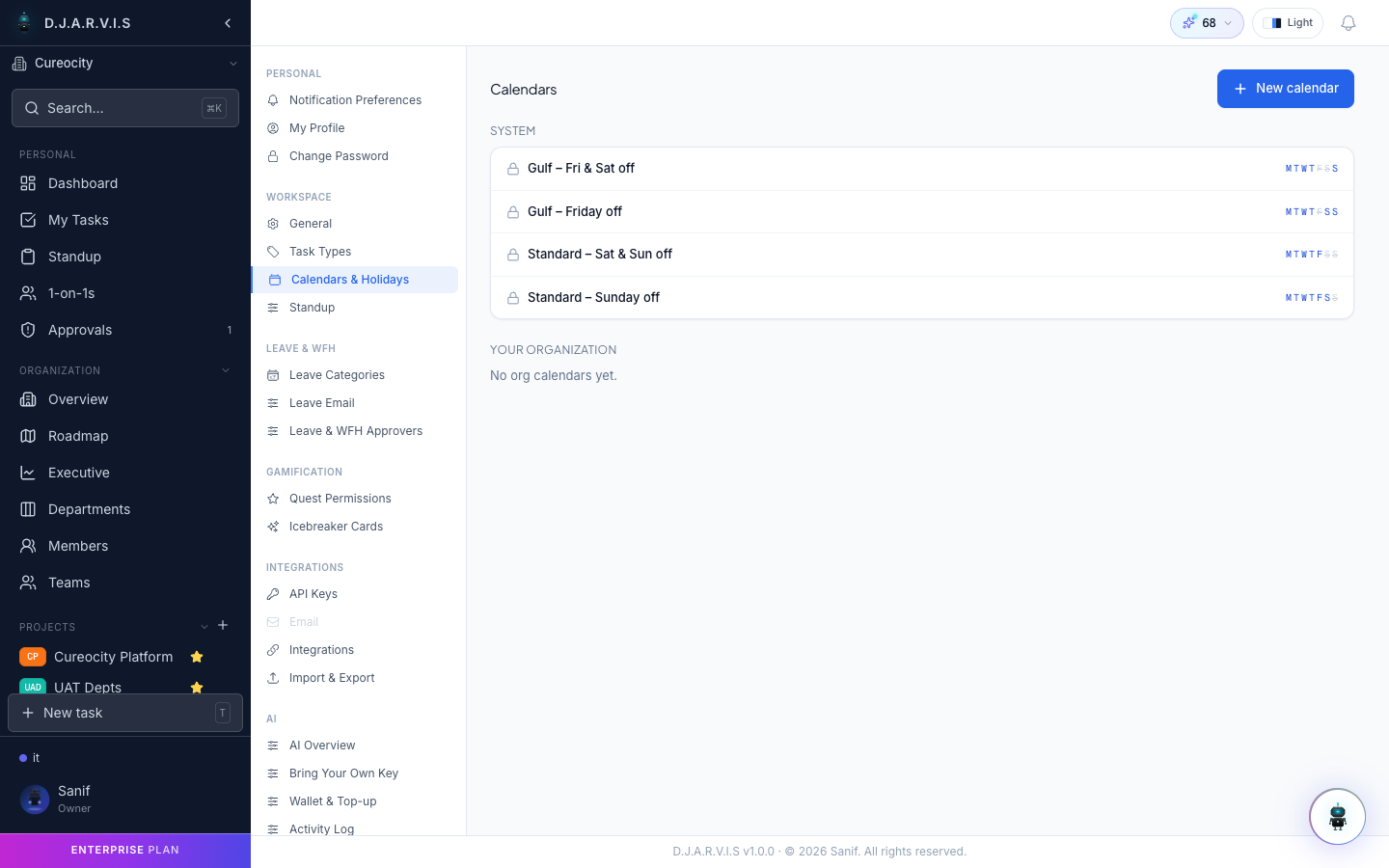
Working calendars
A working calendar specifies which days and hours are considered working time for your organization. By default, the calendar follows a Monday-to-Friday schedule, but you can customize it to match your team’s actual working pattern.
To configure your working calendar:
- Go to Settings > Calendars.
- Select the working days for each week (e.g. Sunday through Thursday for teams in certain regions).
- Set the standard working hours (e.g. 9:00 AM to 6:00 PM).
- Save the calendar.
Working calendars are used by the system to:
- Calculate sprint durations in working days, not calendar days.
- Determine leave balances and accruals.
- Show accurate availability in team views.
- Inform AI auto-scheduling when placing tasks in a sprint.
Holidays
Holidays are non-working days that override the regular working calendar. You can manage holidays from Settings > Calendars > Holidays.
Adding a holiday
- Click Add Holiday.
- Enter the holiday name (e.g. “Independence Day”).
- Select the date or date range.
- Choose the scope — organization-wide or specific to a department.
- Save the holiday.
Organization-wide vs department-specific
- Organization-wide holidays apply to everyone. These are typically national holidays or company-wide shutdown days.
- Department-specific holidays apply only to members of a particular department. This is useful for organizations with teams in different countries or regions that observe different holidays.
Members see both organization-wide and their department’s holidays reflected in their calendars, leave calculations, and sprint views.
Department calendars
Departments can have their own calendar overrides beyond holidays. For example, a department in a different timezone might have different working hours, or a support team might work weekends. Department calendars layer on top of the organization calendar:
- Organization calendar sets the baseline.
- Department overrides adjust working days or hours for that department’s members.
Calendar sync
Takonaut can sync with external calendar providers so that holidays, sprints, and deadlines appear in the tools your team already uses. Check Settings > Calendars > Sync for available integrations and setup instructions.